Your Mac's notch, finally useful.
Your MacBook's notch does nothing? WUMC moves your team in: pixel-art mascots that show who's on Claude, a gauge of your limits, and notifications that unfold at the right moment.
What shows up in the notch
- On the left, the mascots of your active teammates, animated by what they're doing with Claude.
- On the right, the ring of your 5-hour session, from green to red, and the level of your week.
- Bubbles at the right moment: a teammate starts coding, your session passes 50%, someone sends you a 👋.
- On hover, everything unfolds: the members, everyone's limits with their countdown, and a field to reply without opening the app.
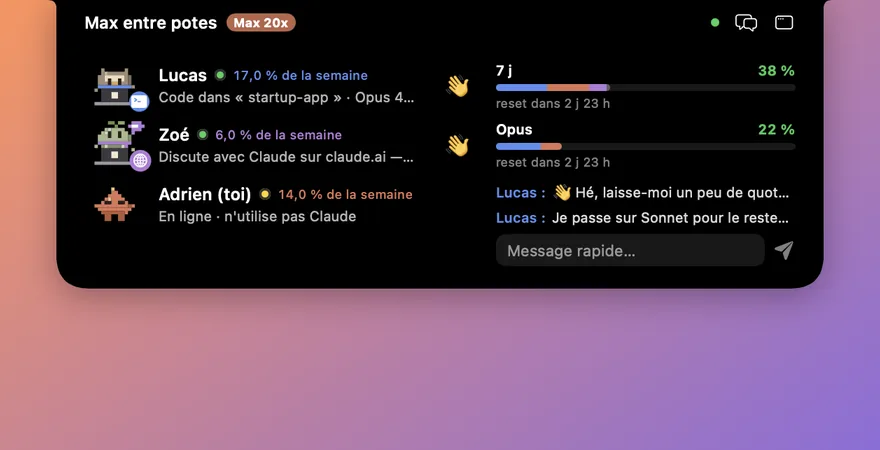
Five characters, ten moods
Chat, Galet, Pousse, Hibou or Nuage: everyone picks their character. It types away when you code, sweats when your limit passes 90%, parties at the reset and sleeps when your Mac is off.
No notch? It works too
On an external display or a Mac without a notch, WUMC shows a black pill at the top of the screen, in the same spot. A menu bar icon also opens a mini dashboard.
A real Mac app
- macOS 14 or later, on Apple Silicon and Intel alike.
- Signed and notarized by Apple, with automatic updates.
- A demo mode to try everything without an account:
open /Applications/WUMC.app --args --demo.
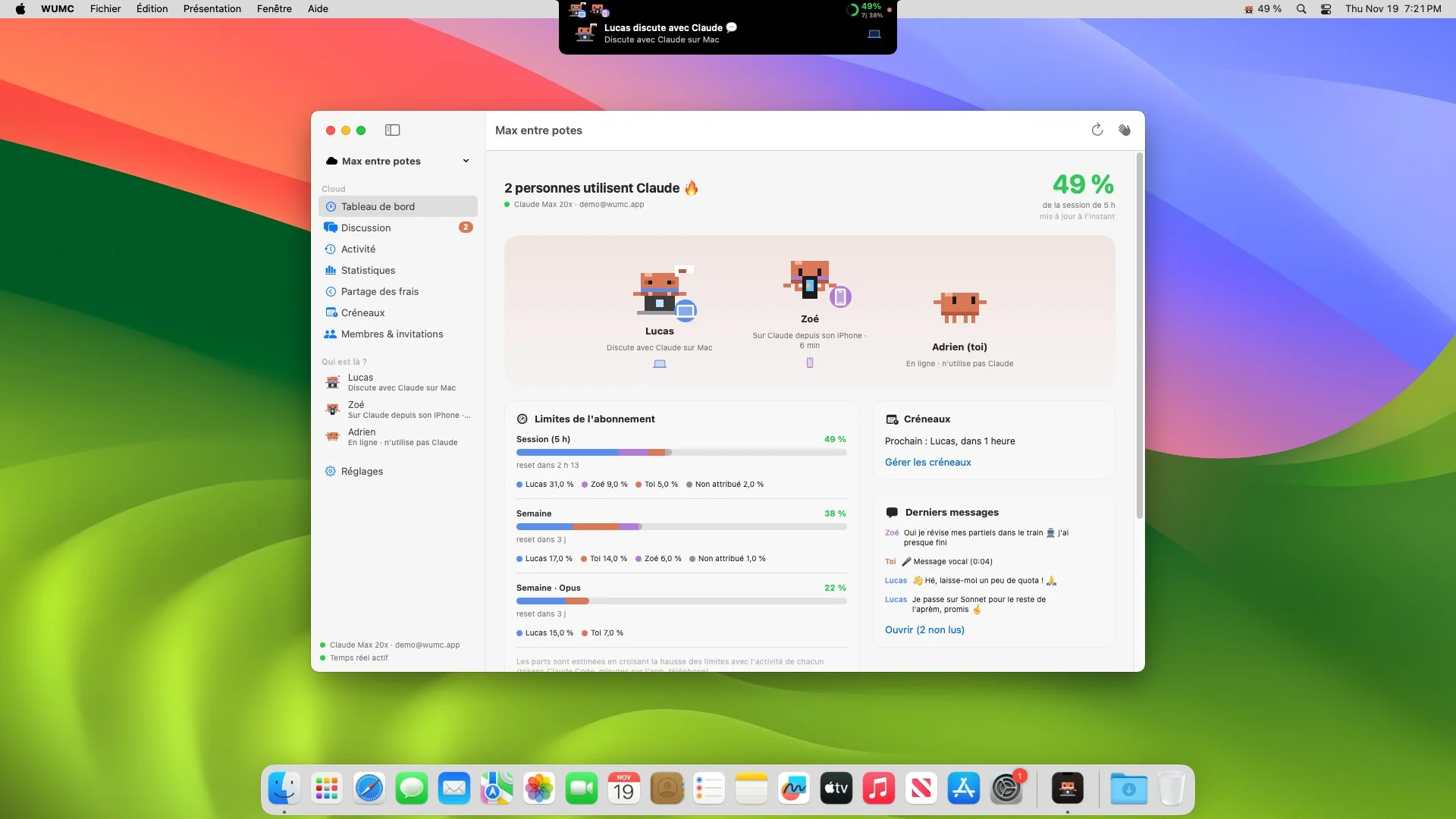
Frequently asked questions
Do I need a MacBook with a notch?
No. On an external display or a Mac without a notch, WUMC shows a black pill at the top of the screen, in the same spot. There's also a menu bar icon with a mini dashboard.
Can I try it without creating an account?
Yes, with demo mode: open /Applications/WUMC.app --args --demo. Three fake members switch activity every 7 seconds, and every screen is filled in.
Does it work on Windows or Android?
The app is for macOS. Your usage on your phone counts towards your own limits; with “Claude on your phone”, the team also sees when you're on it.
Does WUMC slow down my Mac?
No. WUMC reads small local counters and a few percentages: it runs no model and sends neither your code nor your conversations.